
Windows Engineering Edition
For FDTD/PML, VNA/S-parameters, RCS, FEM, MoM/BEM, near/far-field, SAR/B1+, batch studies and reporting.
EMWAVE · ELECTROMAGNETIC ENGINEERING
From desktop electromagnetic research to portable engineering checks
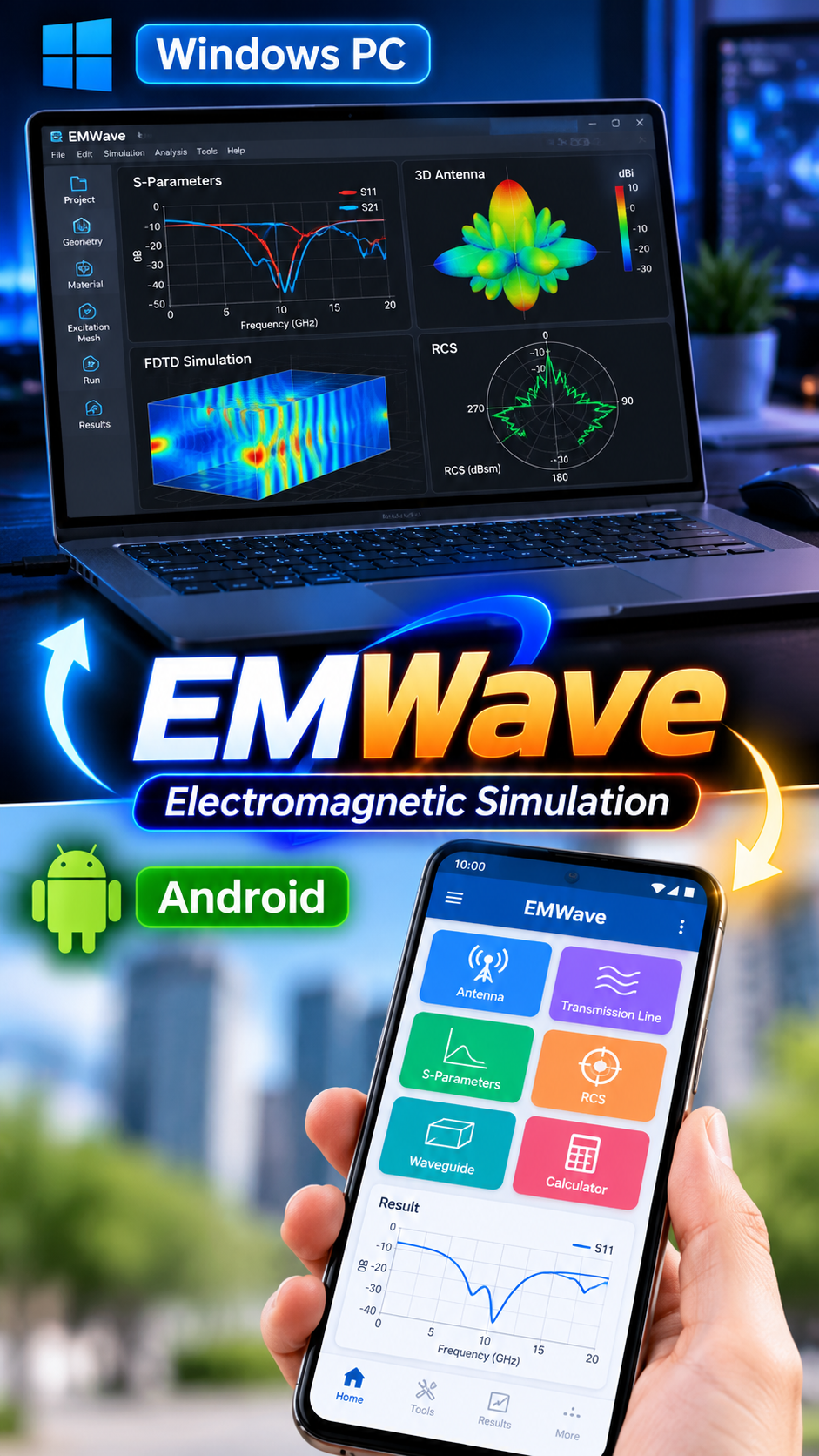
EMWave brings field simulation, RF measurement data, antenna/scattering analysis and engineering data processing into one cross-platform product family. Windows handles the deeper research workflow; Android focuses on portable viewing, calculation and fast analysis.
PLATFORMS
Each platform is designed for a different workflow: desktop for deeper engineering analysis and mobile for portable calculations and quick checks.
For FDTD/PML, VNA/S-parameters, RCS, FEM, MoM/BEM, near/far-field, SAR/B1+, batch studies and reporting.
Portable tools include Touchstone/S-parameter viewing, SOL calibration, THz-TDS, near/far-field preview, data viewing and quick plots.
Scan on desktop to install on Android.
CAPABILITIES
Windows and Android are not simple UI copies: the desktop focuses on deeper analysis while mobile is optimized for fast portable tools.
2D FDTD, PML boundaries, field distributions and propagation results.
Touchstone, S11/S21, VNA processing, SOL calibration and de-embedding.
Radiation patterns, RCS, near-to-far-field transforms and related engineering metrics.
FEM waveguide/eigenmodes, MoM/BEM, THz-TDS, SAR/B1+, batch DOE and reports.
RESULTS & WORKFLOWS
This page first presents the cross-platform product overview; the PC and Android recordings can later be split into dedicated tutorials.
PRODUCT POSITIONING
Designed for electromagnetics, RF, antennas, measurement, research and engineering education. Use Windows for full numerical and batch workflows, and Android for field checks, quick calculations and portable analysis.