
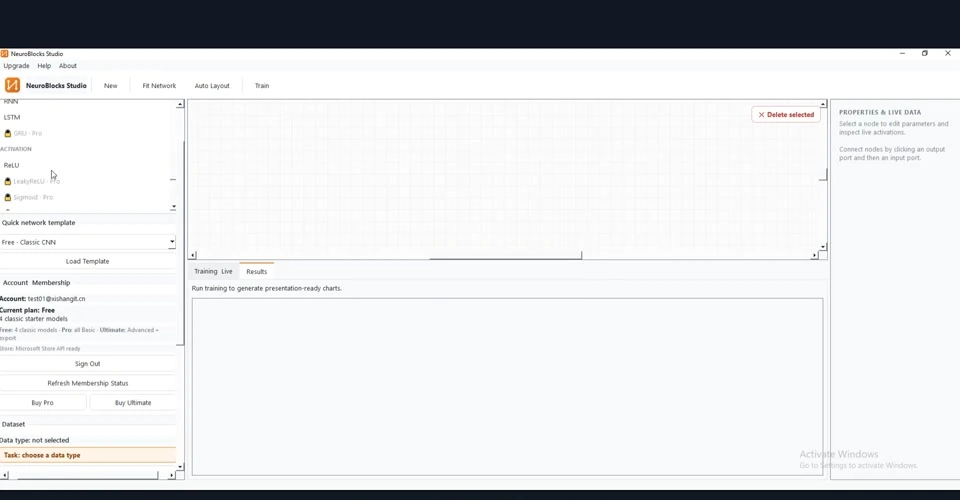
Getting Started: Choose a Data Type
Start from the help panel and the data-type entry to understand the basic NeuroBlocks workflow.
Each page includes multiple screenshots, detailed steps, result interpretation and troubleshooting tips.
NEUROBLOCKS STUDIO · Examples & Tutorials
Rebuilt from the real training demo so new users can follow visual model building, data import, training and result analysis step by step.
Every tutorial on this page was rechecked so the screenshots match the title and the workflow stays clear, searchable and useful.
NeuroBlocks Studio
Built from real tutorial video frames with manually matched screenshots.

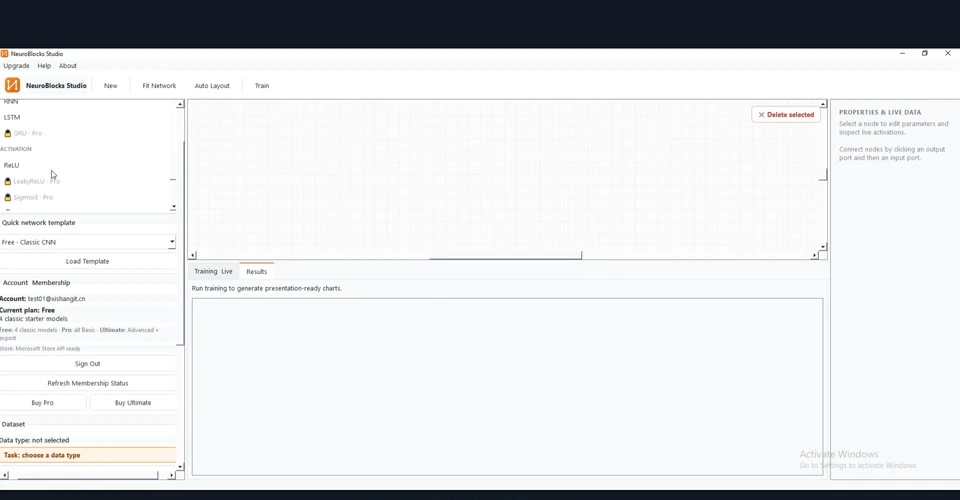
Start from the help panel and the data-type entry to understand the basic NeuroBlocks workflow.
Each page includes multiple screenshots, detailed steps, result interpretation and troubleshooting tips.

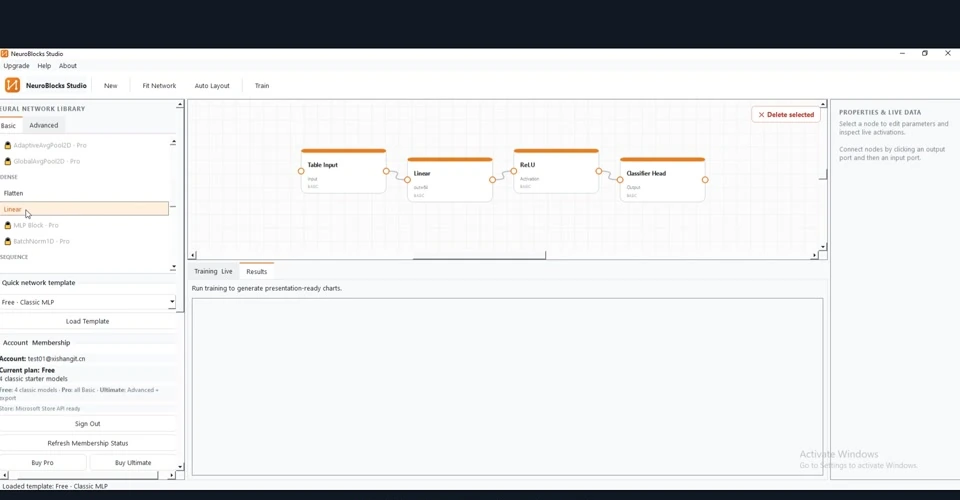
Browse the layer library on the left and inspect the ready-made templates.
Each page includes multiple screenshots, detailed steps, result interpretation and troubleshooting tips.
Drag and connect convolution, activation, pooling and classifier-head blocks to build a CNN visually.
Each page includes multiple screenshots, detailed steps, result interpretation and troubleshooting tips.
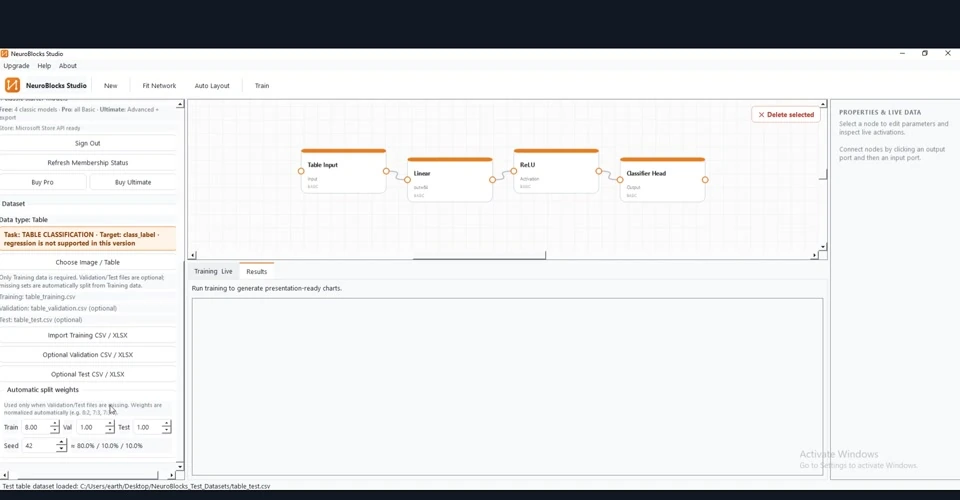
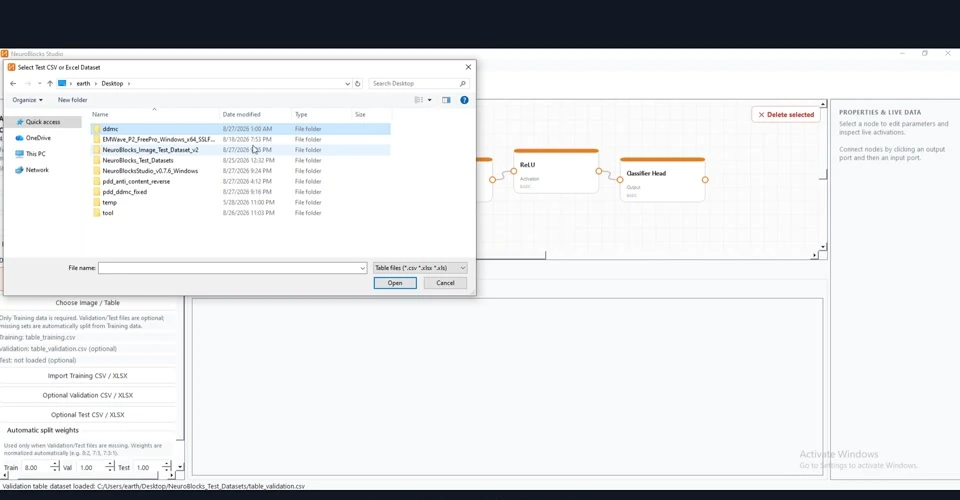
Import the training data and define validation/test data or automatic split weights.
Each page includes multiple screenshots, detailed steps, result interpretation and troubleshooting tips.
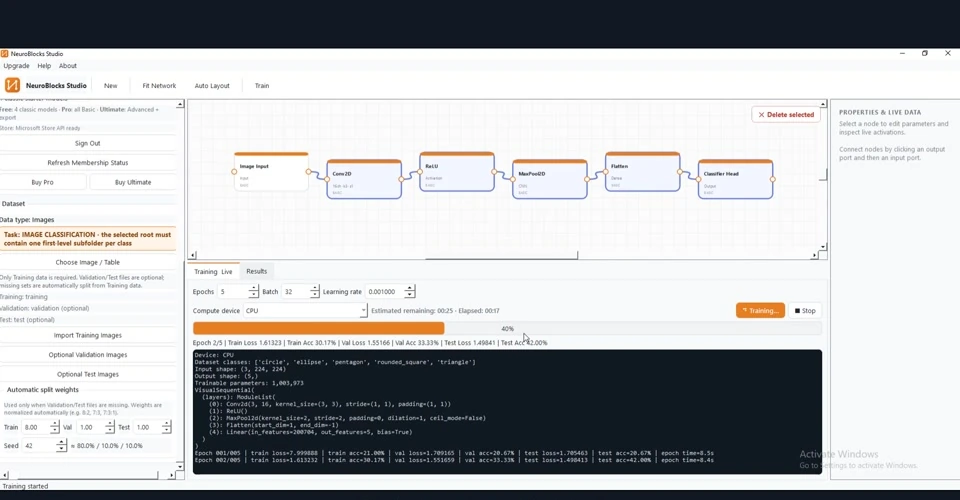
Configure epochs, batch size, learning rate and other training parameters.
Each page includes multiple screenshots, detailed steps, result interpretation and troubleshooting tips.
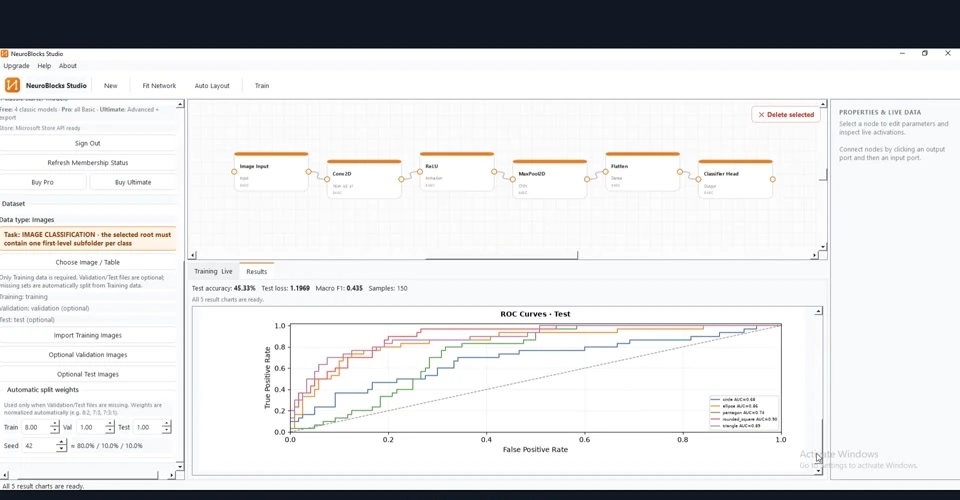
Inspect ROC curves and compare class-wise discrimination performance.
Each page includes multiple screenshots, detailed steps, result interpretation and troubleshooting tips.
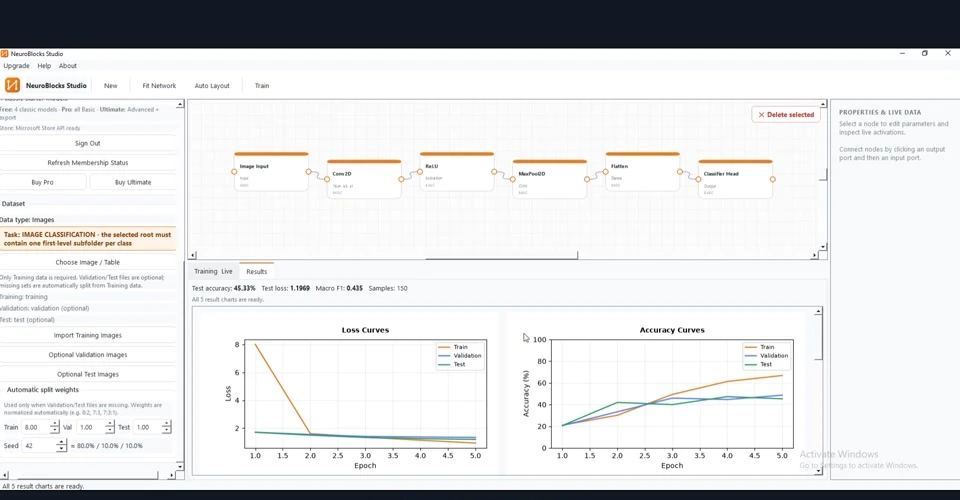
Inspect training/validation curves to judge convergence and generalization.
Each page includes multiple screenshots, detailed steps, result interpretation and troubleshooting tips.
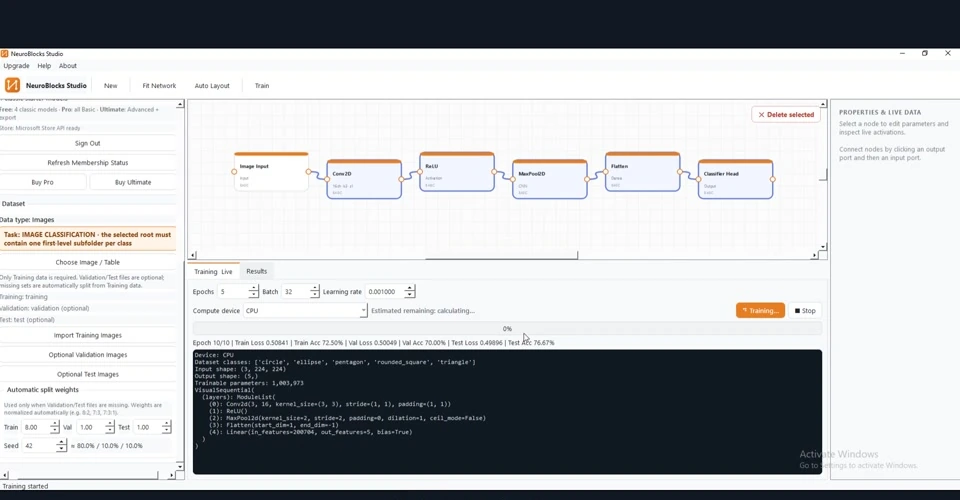
Understand the role and placement of pooling layers in the visual model graph.
Each page includes multiple screenshots, detailed steps, result interpretation and troubleshooting tips.

Start training and follow each epoch through the live integrated log.
Each page includes multiple screenshots, detailed steps, result interpretation and troubleshooting tips.