
AI & DATA · NEUROBLOCKS STUDIO
NeuroBlocks Studio Visual Neural Network Design & Training Software
Visually build, train and evaluate neural networks for image and tabular classification.
With a drag-and-drop network canvas, reusable model templates, automatic dataset splitting, CPU / CUDA training and integrated classification evaluation, NeuroBlocks Studio connects model design all the way to result analysis in one Windows workspace.
Visual Neural Network BuilderCNN / MLPRNN / LSTM / GRUTransformer / ViTConvNeXtImage ClassificationTabular ClassificationCPU / CUDA Training
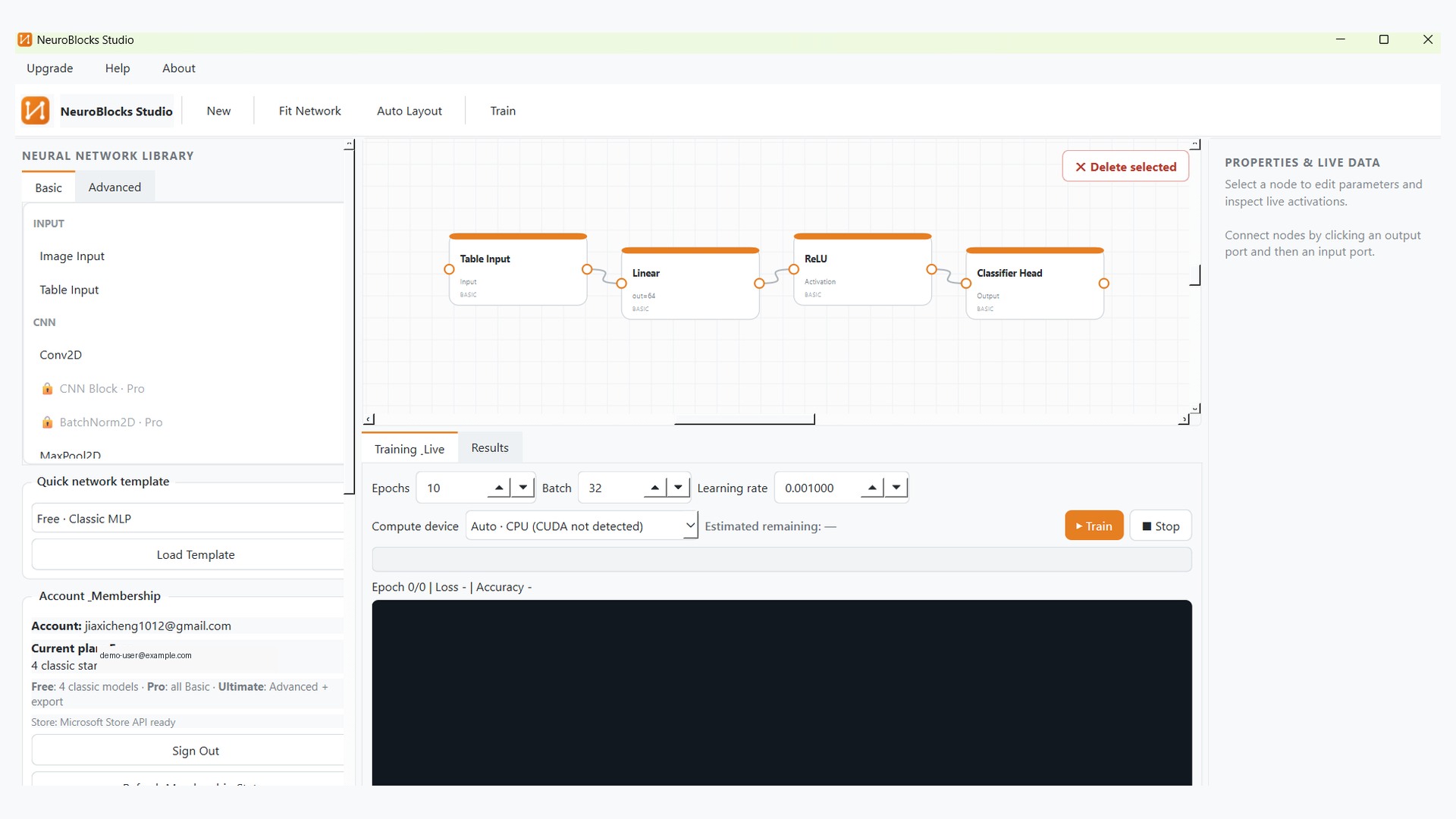
PRODUCT GALLERY
NeuroBlocks Studio interface preview
These product visuals were organized from your earlier screen recording and highlight network design, dataset import, training and evaluation.
01 · VISUAL NEURAL NETWORK BUILDER
Design neural-network structures with a drag-and-drop canvas
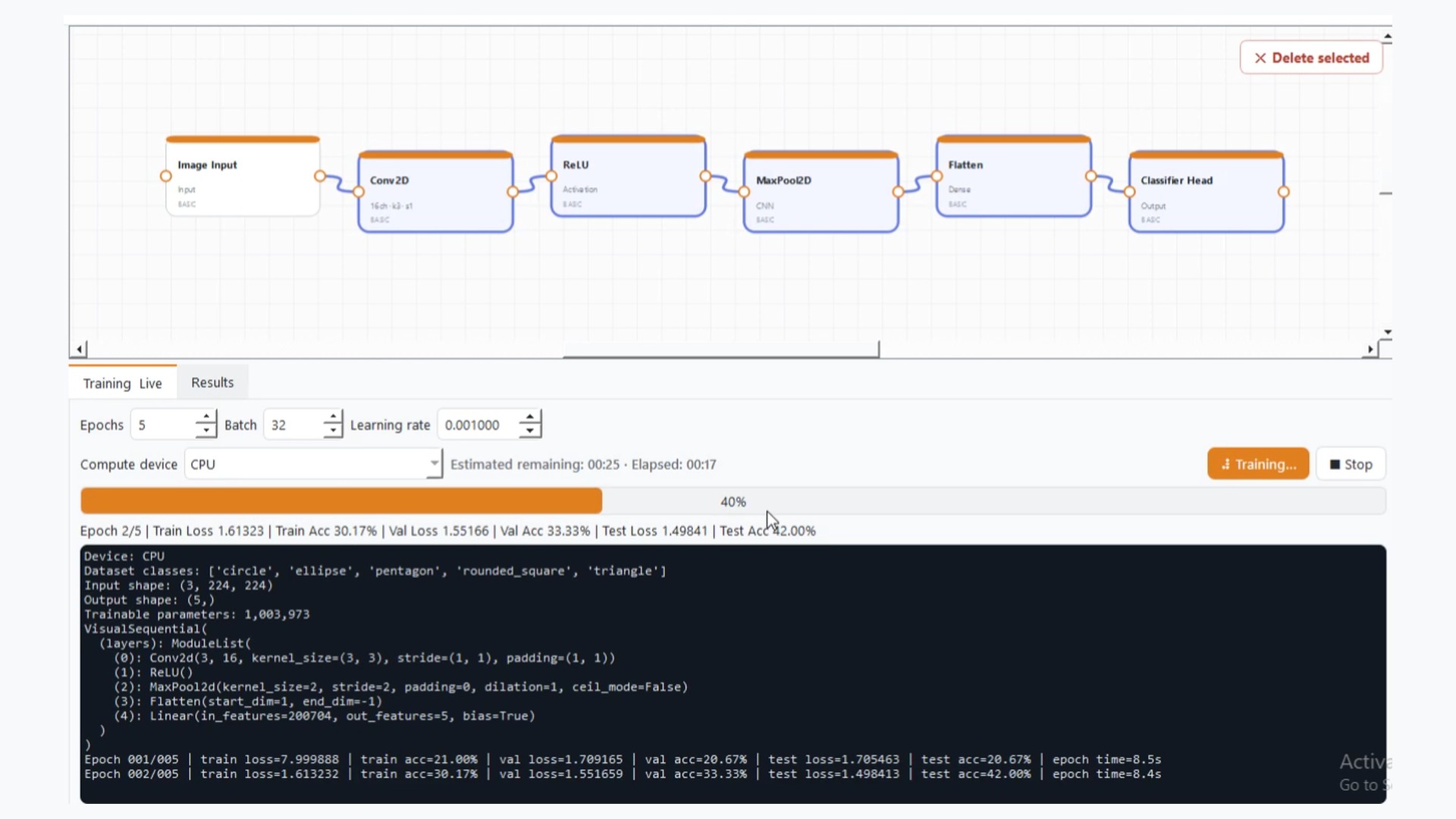
NeuroBlocks Studio turns model structure into an editable visual graph. Users can drag input layers, convolution blocks, recurrent layers, activations and classification heads from the model library, then connect them into complete classification networks. Node properties and live training information can be inspected inside the same workspace.
- Drag and connect neural-network modules visually
- Classic MLP, CNN, RNN, LSTM and GRU workflows
- Reusable templates, auto layout and parameter editing
- Inspect output shapes, activations and gradient information during training
The current product focus is classification, so network structures need to remain dimensionally compatible.
02 · DATASET & TRAINING
From dataset import to CPU / CUDA training
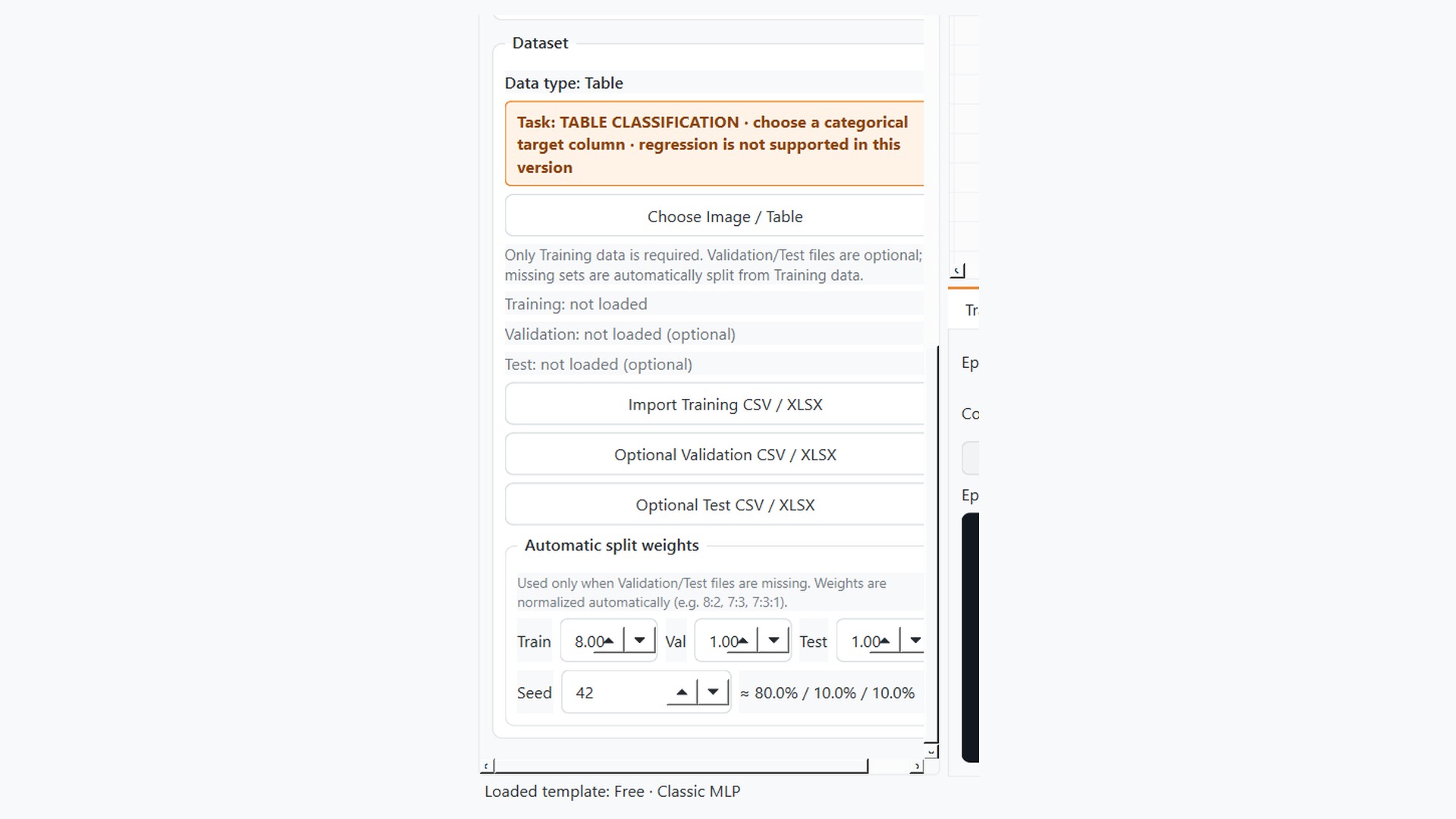
The software supports both image classification and tabular classification. Tabular data can be imported from CSV, XLSX and XLS, while image datasets are organized through class folders. Validation and test sets can be supplied explicitly or split automatically from the training data.
- Image classification and tabular classification workflows
- CSV / XLSX / XLS tables and common image formats
- Flexible split ratios such as 8:2, 7:3, 8:1:1 or 80:10:10
- Auto / CPU / CUDA device selection with estimated remaining time
Automatic splitting is class-aware and can be reproduced through a random seed.
03 · CLASSIFICATION EVALUATION
Evaluate classification models with multiple metrics
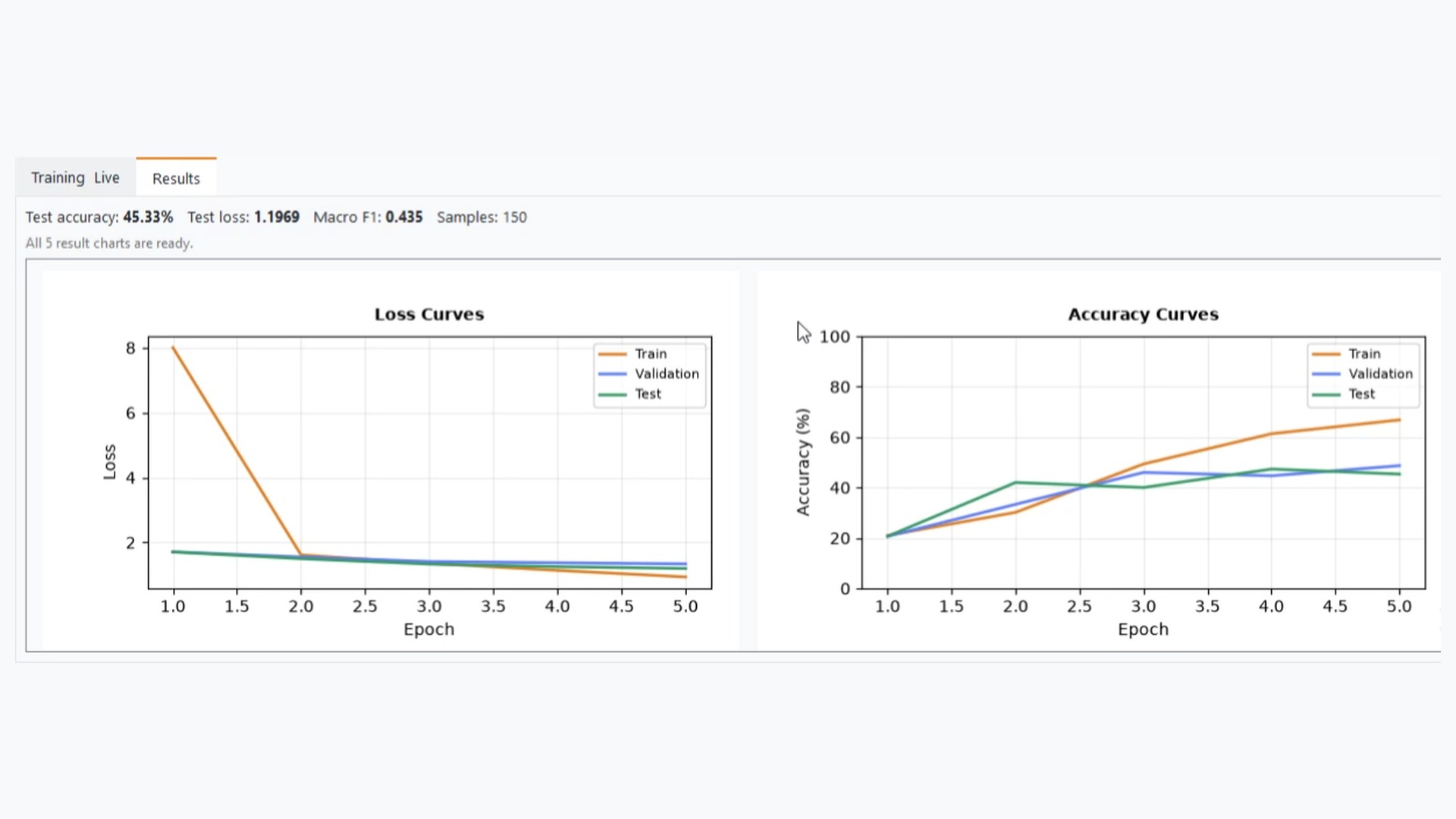
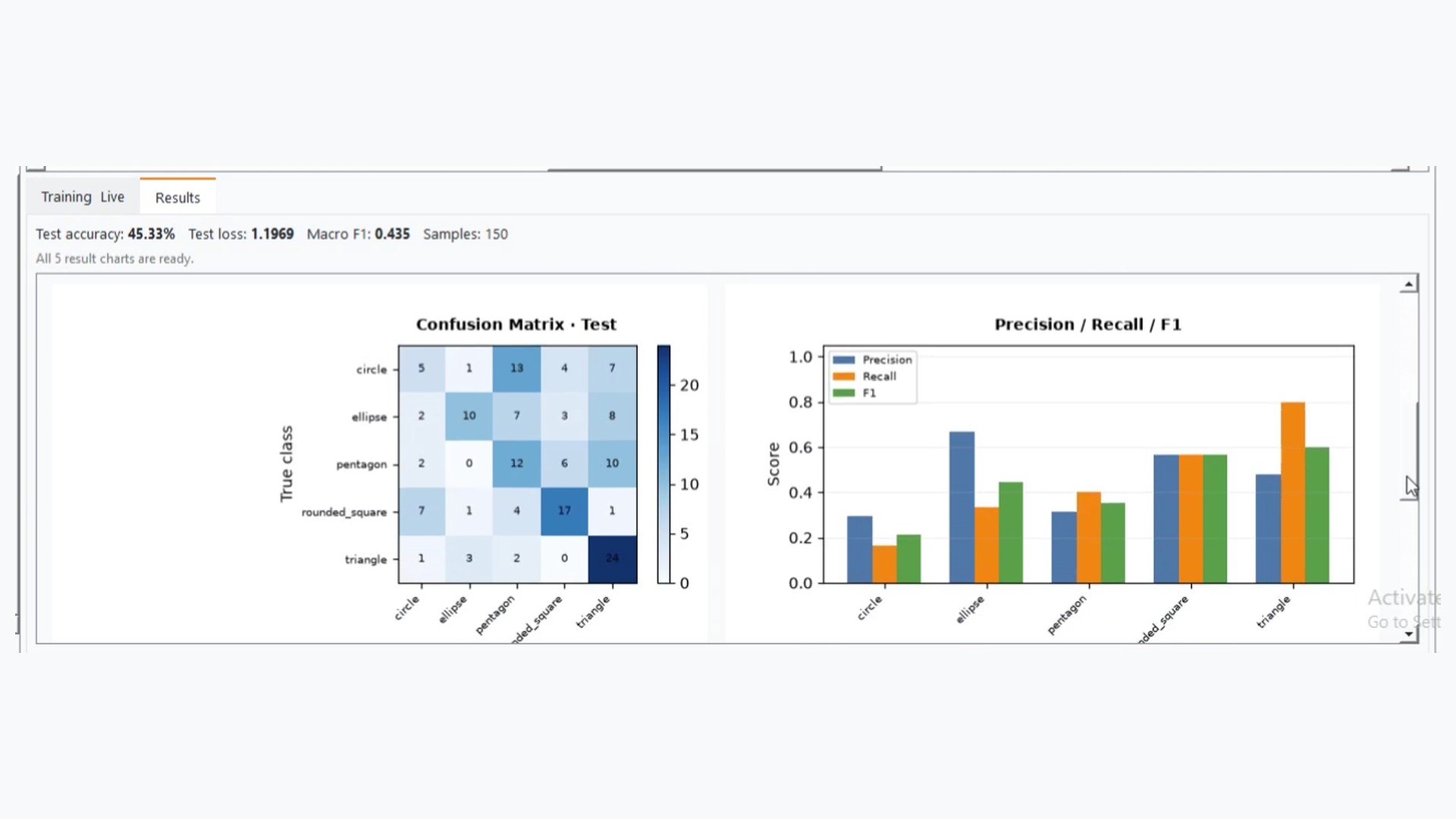
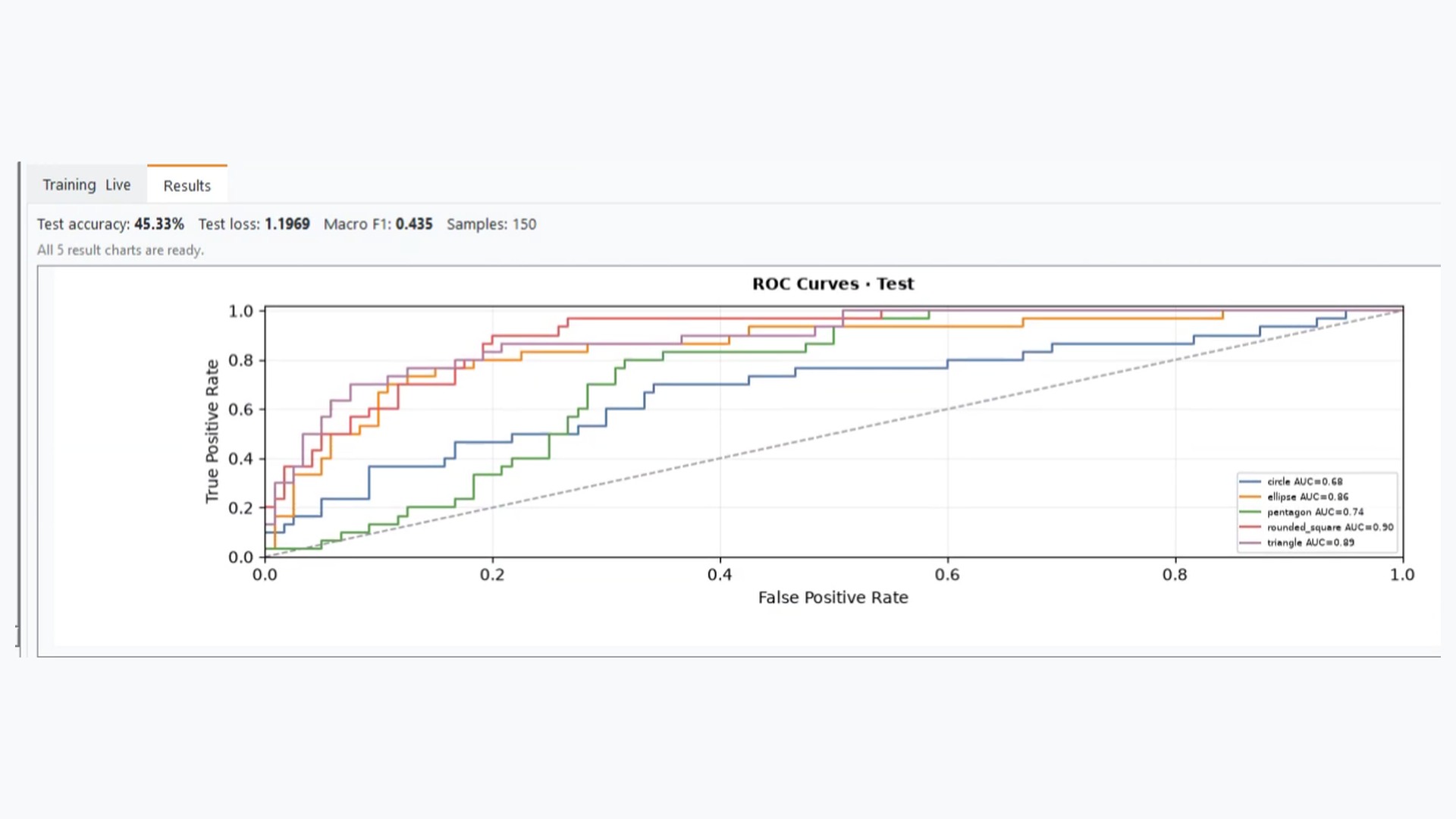
After training, NeuroBlocks Studio consolidates the most important outputs so users can compare training, validation and test performance, then inspect error distribution and classification quality beyond overall accuracy.
- Train / validation / test loss and accuracy curves
- Confusion matrices for misclassification analysis
- Precision / recall / F1 classification metrics
- ROC curves and testing analysis for multi-class tasks
Some outputs such as ROC curves appear only when the task setup supports them; the exact views depend on the dataset and class count.
04 · MODEL LIBRARY & ACCESS
From classic models to Transformers and modern vision architectures
The model library covers classic neural networks together with more modern deep-learning structures. Core workflows include MLP, CNN, RNN, LSTM and GRU, while advanced options include Transformer Encoder, Vision Transformer, ConvNeXt and other modern classification templates.
- Classic models: MLP, CNN, RNN, LSTM and GRU
- Advanced models: Transformer, ViT, ConvNeXt and more
- Free provides starter models; Pro expands the basic library and result viewing
- Ultimate adds advanced models plus built-in PNG / CSV / JSON export
Exact Free / Pro / Ultimate entitlements depend on the current application build and Microsoft Store entitlement checks.
Free
Four classic starter models for fundamental neural-network design and training.
Pro
The full basic model / module library plus training and evaluation result viewing.
Ultimate
Basic + advanced models together with built-in chart and CSV / JSON export.
WHY THIS VERSION WORKS
Why this page works better for NeuroBlocks Studio
SEO matters, but the first priority of a product page is helping a new visitor understand what the product is, what it does and who it is for.
More like a product site
The layout now feels closer to a SaaS or software-product landing page instead of a dense descriptive page.
Screenshots become the hero assets
Real product visuals are promoted to the foreground instead of relying only on text.
The workflow is easier to understand
Visitors can follow the journey from data import and network design to training and evaluation.
Easier to extend later
The same structure can be reused when you add time-series tools, AutoML or more models.
Better for campaigns and search traffic
The blue technology aesthetic fits better with YouTube, Google search traffic and external promotion.
Cleaner for multilingual rollout
Simplified Chinese, Traditional Chinese and English can share the same structure with localized copy.
Version tiers are easier to present
Free, Pro and Ultimate can be explained much more clearly.
It clearly lives under the product system
The page now feels like a proper product detail page inside the products section.
WORKFLOW
Typical NeuroBlocks Studio workflow
These four steps map the core journey new users care about most, making the page easier to understand and easier to reuse for demos or video content.
Import data
Load image folders or CSV / XLSX tabular datasets, then define labels and split ratios.
Build the network
Drag layers and modules from the model library to assemble a network architecture for the task.
Run training
Choose Auto / CPU / CUDA, then monitor loss, accuracy and time progress during training.
Review results
Inspect confusion matrices, precision / recall / F1, ROC curves and test performance to compare models.
Ready to make the neural-network product page feel more professional?
This version already uses a cleaner blue product-showcase style while keeping the logo + company-name presentation you selected. If you want, I can next align the AI category page and home-page entry points with the same visual system.